Logitech MX Vertical vs TECKNET vertical mouse: is the expensive one really better?
Both mice are comfortable, reliable and provide a more natural hand position than a conventional flat mouse. The cheaper TECKNET does the job, but the Logitech MX Vertical is larger, more solid, more precise and considerably better for long working days and large hands.
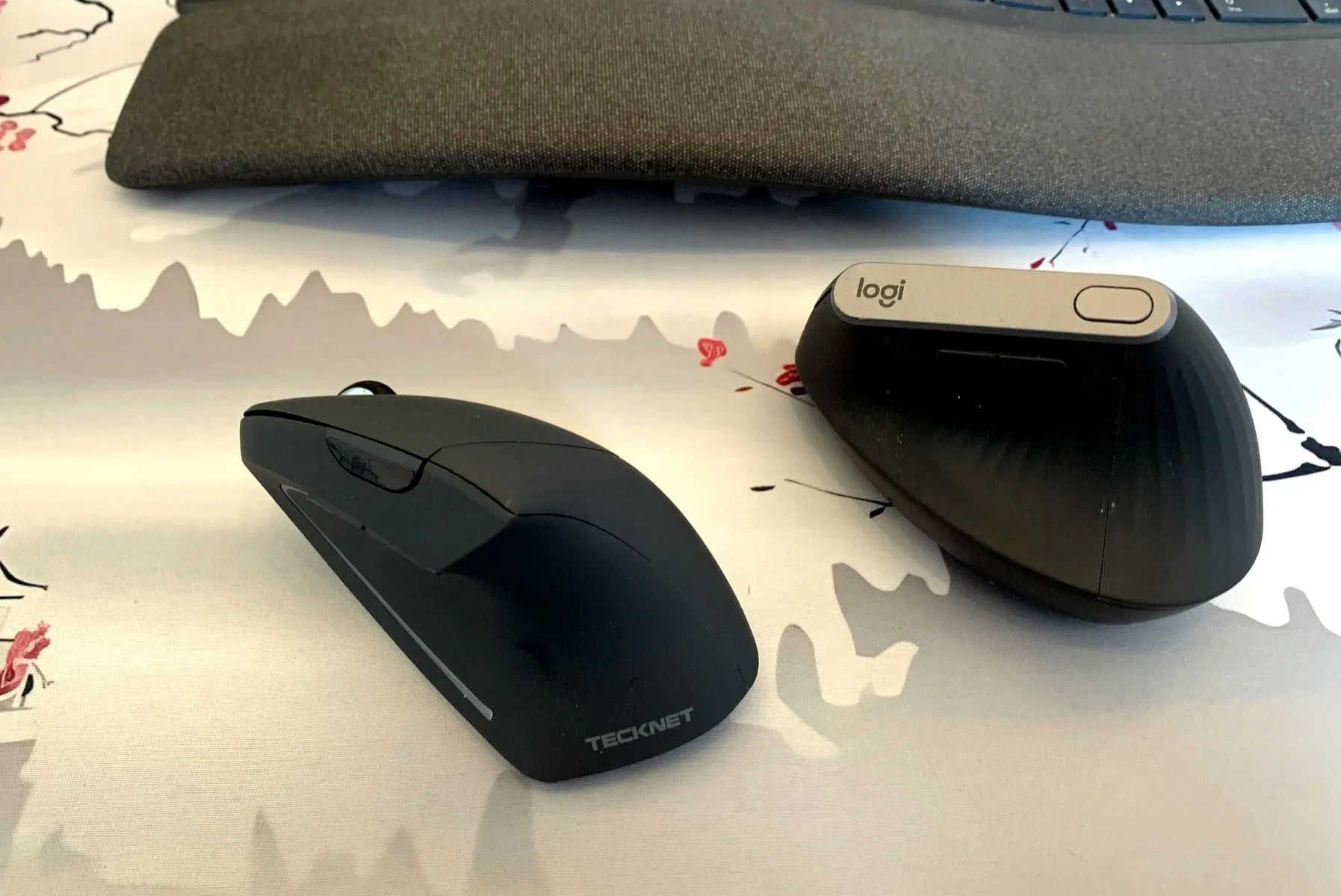
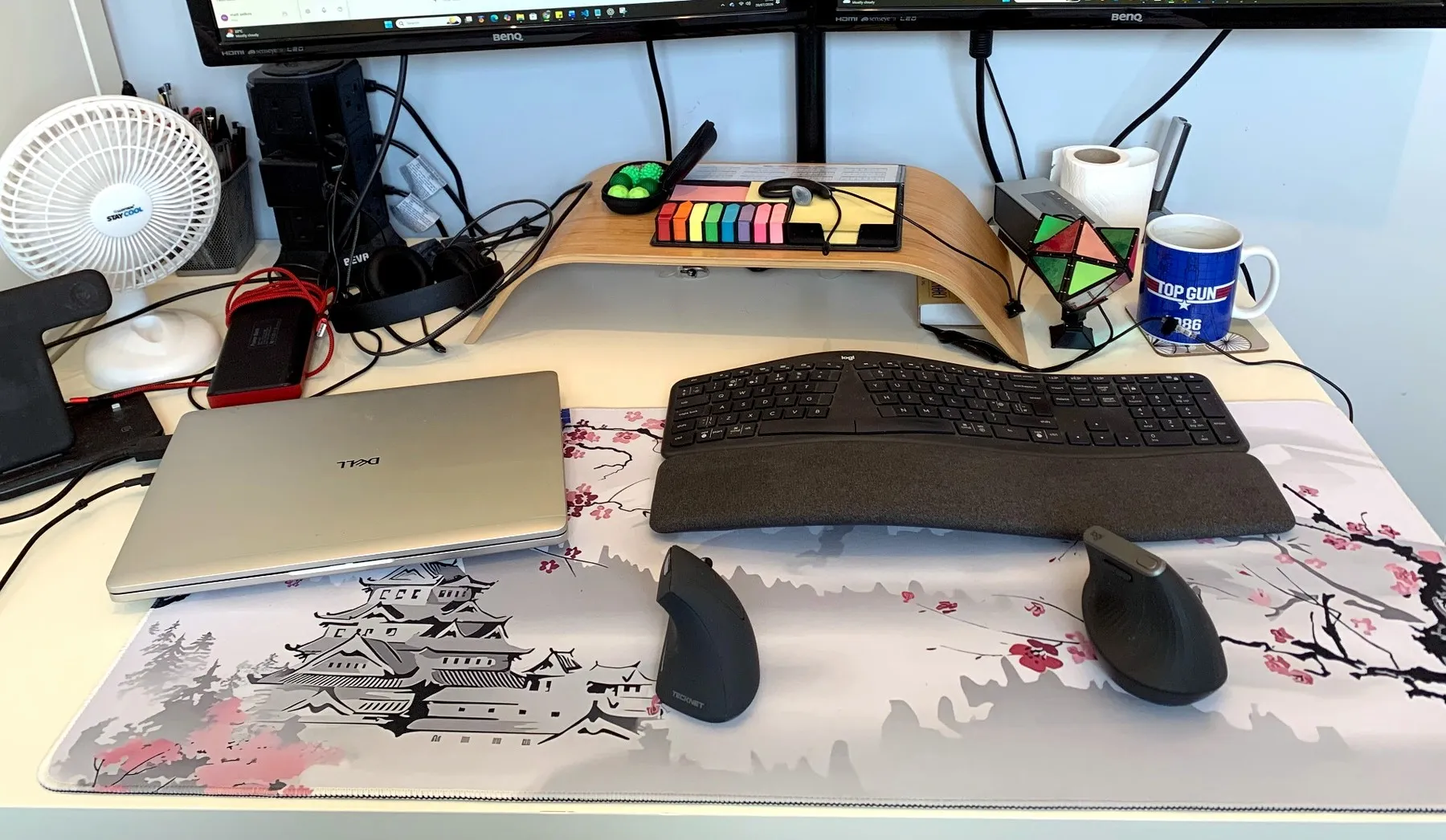
I own two vertical mice because I regularly switch between a personal desktop and a work laptop. Whichever computer I am using most gets the Logitech MX Vertical. The other gets the TECKNET.
That arrangement probably tells you most of what you need to know before I have even started.
I have used the Logitech for around six months and the TECKNET for two or three. Both were bought with my own money, both work perfectly well, and neither has suffered any connection problems.
This is not a comparison between a brilliant mouse and one that should be released back into the wild. It is a comparison between one that does the job and one that makes doing the job noticeably more pleasant.
The Logitech feels better in almost every respect
The Logitech MX Vertical feels substantial as soon as you pick it up. It is solid, weighty and properly planted on the desk. The buttons have a definite click, movement is accurate, scrolling is excellent, and working around spreadsheets and documents feels controlled rather than like I am trying to select the correct cell during a minor earthquake.
I am six foot four, weigh around 120 kilograms and have correspondingly large hands. The Logitech suits me particularly well because there is enough of it to hold. My hand rests naturally around it rather than feeling as though it is trying to operate something borrowed from a much smaller and more delicately assembled person.
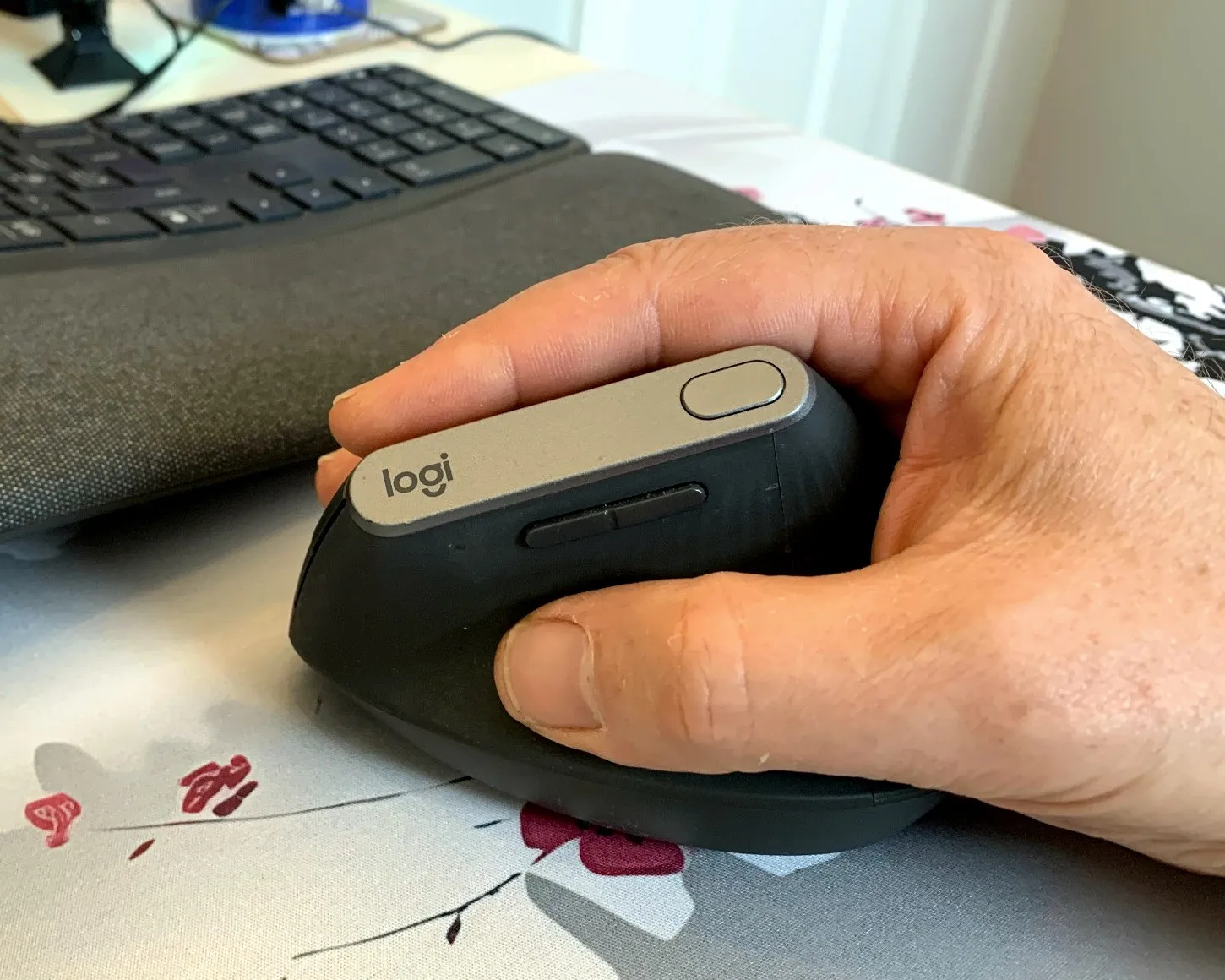
It feels properly built too. Picking it up is closer to a firm handshake than introducing yourself to an empty yoghurt pot.
The customisable buttons are genuinely useful. Logitech’s software also provides additional controls, including a circular on-screen menu that can appear while working. I am generally much more of a keyboard user than a committed mouse enthusiast, but even I have found those features useful.
That may be the strongest compliment I can give it: this is a mouse good enough to impress somebody who would normally rather learn another keyboard shortcut than move their hand six inches across the desk.
The TECKNET is perfectly usable—but clearly cheaper
There is nothing fundamentally wrong with the TECKNET. It connects reliably, moves the pointer and is comfortable to use. If you are trying a vertical mouse for the first time and do not want to spend Logitech money, it provides a perfectly reasonable entry point.
The difficulty is that it feels noticeably smaller and lighter. For my hands, that makes accurate control more difficult. It does not have the same reassuring weight or precision as the Logitech, and it feels more like something I am directing than something that naturally understands where I want it to go.
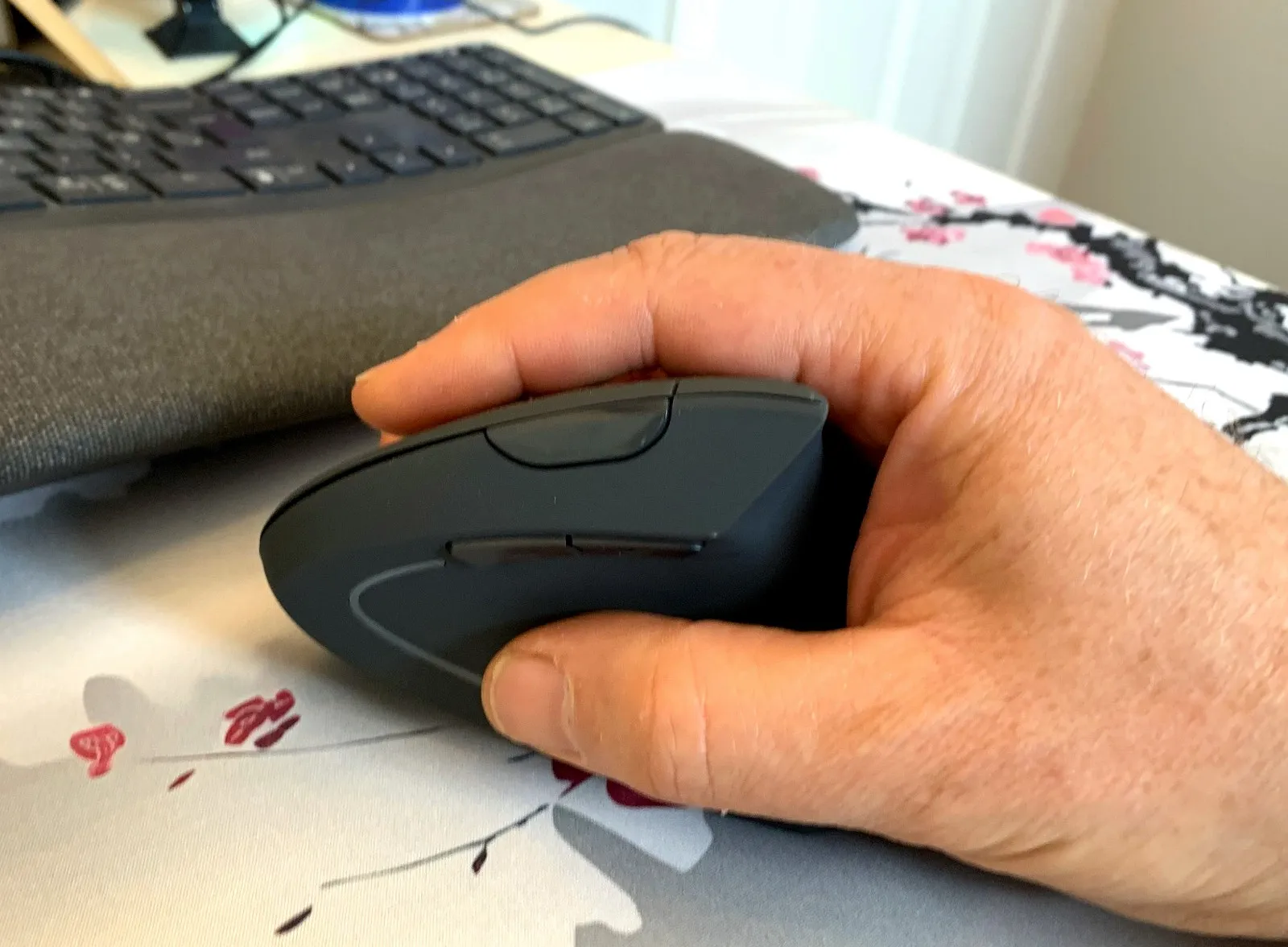
It also has a peculiar habit of falling over.
I use both mice on the same large desk mat, switching between computers as necessary. When I reach across and accidentally knock the TECKNET, it regularly rolls onto its side with all the stability of a fainting goat.
Nothing is damaged and it takes less than a second to stand it back up, but it happens often enough to be irritating. By comparison, the Logitech remains planted on the desk looking faintly disappointed in both of us.
This is probably less a manufacturing defect and more a combination of a lightweight mouse, two computers and an owner whose movements are not always executed with surgical precision.
Someone with smaller hands and a lighter touch may get on with it much better.
Comfort and wrist position
Both mice are comfortable and both give me a more natural hand position than a conventional flat mouse. I am not making any medical claims, but during normal use both feel kinder to my hand and wrist.
The Logitech is still my preference because its larger shape supports my hand better. Once positioned, my hand feels settled rather than perched on top of it like a large bird trying to land on a small branch.
The TECKNET remains comfortable, but it does not provide the same feeling of solidity or support. It works; it simply never lets me forget that it is the budget option.
Reliability and battery life
Neither mouse has given me any connection trouble. They have both worked reliably with whichever computer they have been assigned to.
The Logitech is rechargeable. In roughly six months of substantial daily use, I have only needed to plug it in once or twice. Battery life is therefore something I rarely have to think about, which is exactly how battery life should work.
A good battery should quietly get on with its job rather than turning itself into a recurring administrative task.
I have not owned the TECKNET for long enough to make a confident long-term judgment about its battery performance. It has not caused any particular concern during the first few months, and I have certainly not found myself surrounded by discarded batteries wondering where my life went wrong.
Is the Logitech worth the extra money?
For me, yes.
The price difference is substantial, but so is the difference in feel. The Logitech is more comfortable, more accurate, better built and more pleasant to use for long periods. It is without doubt the best mouse I have owned.
That does not mean everybody needs to buy it. Someone with smaller hands, lighter use or a limited budget may be perfectly satisfied with the TECKNET. It performs the basic job competently and provides the advantages of a vertical shape for considerably less money.
But “performs the basic job” and “something I enjoy using for hours every day” are not quite the same standard.
The TECKNET gets assigned to whichever computer I am using least. The Logitech follows me to whichever computer is currently doing the serious work.
That may not qualify as laboratory testing, but after several months of daily use it is a fairly decisive vote conducted by someone who owns both and has no reason to pretend otherwise.
Verdict
The TECKNET vertical mouse is an affordable and functional option, particularly for someone with smaller hands or anyone wanting to try a vertical mouse without spending heavily. It works reliably, it is comfortable, and its main problem may simply be that it has been placed on a desk with someone much larger and clumsier than its designers anticipated.
The Logitech MX Vertical is in a different class. It is larger, more solid, more accurate and better suited to long working days. It costs considerably more, but in my experience it earns that difference every time I use it.
It has not improved the quality of my spreadsheets, but it has removed one possible excuse.
Logitech MX Vertical: 5 out of 5
TECKNET vertical mouse: 3.5 out of 5
Purchased personally:
Both mice were bought with my own money, and this comparison is based on regular use across my work and personal computers.